
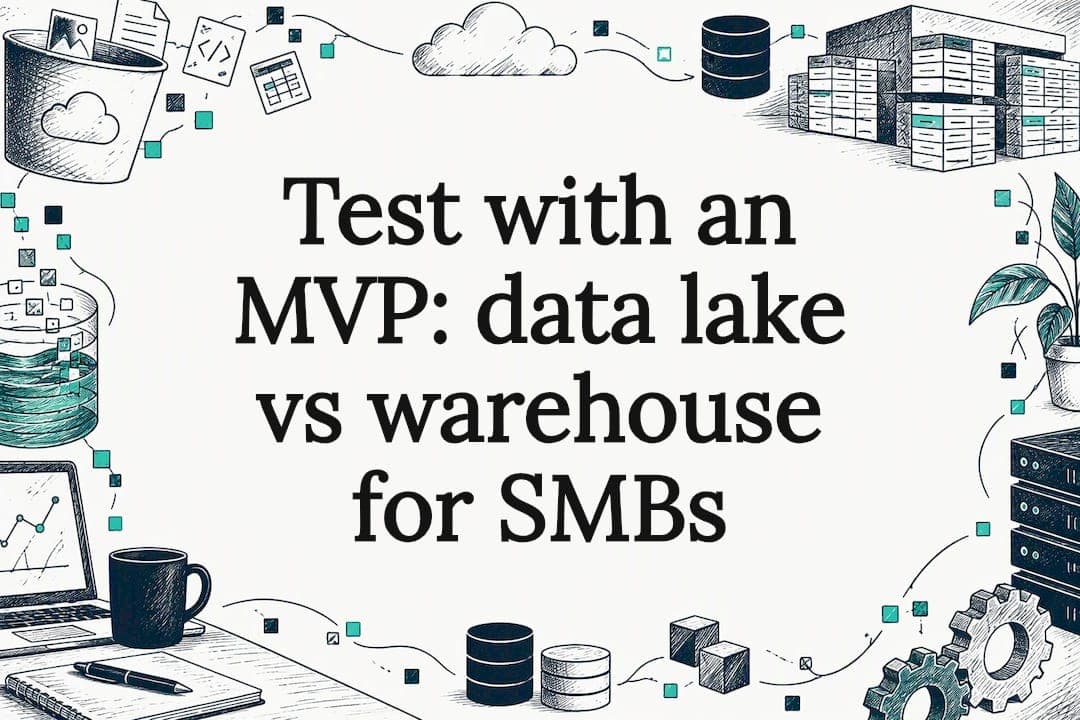
A data lake stores raw, varied data for exploratory analytics and machine learning, while a data warehouse stores curated, structured data optimized for reporting. A lakehouse combines aspects of both. Data scientists tend to live in lakes, analysts and finance teams tend to live in warehouses, and the workload you need to run most often tells you which one you actually need.
Table of Contents
- What is a data lake?
- What is a data warehouse?
- Key differences compared side by side
- How to choose: a practical, question-driven checklist
- What is a data lakehouse and when it helps
- Real-world examples and common architecture patterns
- AdaptAI perspective: how SMBs should approach the choice and implementation
- Integration challenges and best practices when consolidating data lakes and warehouses within unified business software systems
- How data lakes and warehouses support AI-driven workflow automation and reporting in SMB contexts
- Strategies for ongoing data management and AI training to maximize value post-implementation
- Author perspective: a short, practical takeaway
- How AdaptAI can help with your next data project
- FAQ
- Sources
What is a data lake?
A data lake stores data in its native format, usually on cloud object storage, without forcing it into a predefined structure first. Most teams load data using ELT (extract, load, transform), meaning raw data lands first and gets shaped only when someone needs it. That approach, called schema-on-read, means the structure gets applied at query time rather than at load time, which is why data lakes support flexible, exploratory work on structured, semi-structured and unstructured data alike.
That flexibility is exactly what machine learning work needs. A model trainer rarely wants pre-aggregated numbers. They want raw logs, sensor readings, documents and event streams, because the richer the input, the better the feature engineering.
Common sources feeding a lake include:
- Application logs and clickstreams captured in real time
- IoT sensor readings from equipment or connected devices
- Scanned documents, PDFs, or images stored for later processing
- Event streams from web or mobile apps
Data scientists and ML engineers are the typical users here, running feature engineering, model training and experimentation where the questions aren't fully defined yet.
Pro Tip: Before loading everything into a lake "just in case," tag each source with its intended use. Untagged data turns into a swamp fast.
What is a data warehouse?
A data warehouse holds curated data that's already been cleaned, modelled and structured for fast SQL queries. Instead of ELT, warehouses typically rely on ETL, where transformation happens before loading, enforcing schema and quality rules up front. That's schema-on-write: the structure is locked in before the data ever lands.
Most warehouses organize data using star or snowflake schemas, simple models that make it easy to join facts (sales, transactions) with dimensions (customers, products, dates). This is what lets a finance analyst pull a revenue-by-region report in seconds instead of minutes.
Typical workloads include:
- Executive dashboards tracking KPIs week over week
- Monthly or quarterly financial reporting
- Sales performance tracking across regions or teams
- Customer segmentation for marketing campaigns
The people using warehouses day to day are usually business analysts, finance teams and operations leads, not data scientists. Because the schema enforcement and transformation happen early, warehouses provide consistent business metrics and noticeably lower query latency than querying raw data directly.
Key differences compared side by side
The split between a lake and a warehouse comes down to seven practical dimensions, and understanding them tells you more than any architecture diagram.
- Data types supported: Lakes handle structured, semi-structured and unstructured data; warehouses expect structured, modelled data.
- Schema approach: Lakes apply schema-on-read at query time; warehouses apply schema-on-write during ETL.
- Primary use cases: Lakes suit exploratory analytics, feature engineering and ML training; warehouses suit BI dashboards and standardized reporting.
- Typical users: Data scientists and ML engineers work in lakes; analysts and finance teams work in warehouses.
- Cost and scalability: Lakes scale cheaply on object storage for large raw volumes; warehouses cost more per gigabyte but less per query at reporting scale.
- Query performance and latency: Warehouses are built for fast, repeatable SQL queries; lakes trade raw query speed for flexibility and volume.
- Governance and security: Warehouses enforce governance through schema and access controls at load time; lakes need separate governance tooling layered on afterward.
Here's a workload-level way to think about it. A retailer running nightly batch reporting on store sales is squarely a warehouse job: predictable schema, predictable queries, low tolerance for ambiguity. A logistics company training a model to predict delivery delays from raw telematics and weather feeds is squarely a lake job: messy inputs, evolving features, no fixed schema.
A common myth is that lakes are simply "cheaper warehouses." They're not interchangeable. Storing data in a lake without curation doesn't give you warehouse-grade reporting, it gives you a pile of files someone eventually has to clean up. The inverse myth, that warehouses can handle any ML workload if you just add more compute, also falls apart once the data gets unstructured.
One detail that changes the cost conversation: storage-side optimization, specifically compaction and file sizing, tends to drive the largest recurring cost savings in production lake and lakehouse deployments, more than the "storage is cheap" pitch usually implies. Practitioner data from a lakehouse architecture survey backs this up: small-file fragmentation is a consistent bottleneck for both cost and query performance once a lake or lakehouse moves into production.
If most of your decisions hinge on consistent reporting and predictable SQL performance, lean warehouse. If your work depends on raw volume, variety, and evolving ML features, lean lake. If you genuinely need both, that's where a lakehouse earns its keep, covered next.
How to choose: a practical, question-driven checklist
Rather than starting from the technology, start from five questions about how your business actually works.
- How varied is your data? Mostly structured transactional data points toward a warehouse; a mix of logs, documents and streams points toward a lake.
- What are your query SLAs? If dashboards need sub-second response for daily use, a warehouse (or a well-tuned lakehouse) is the safer bet.
- Who are the primary consumers? Analysts and finance teams favour warehouse-style consistency; data scientists favour lake-style flexibility.
- How mature is your governance? Teams without dedicated data governance staff often do better starting with a warehouse's built-in schema discipline.
- What's your budget and in-house skill level? Lakes require more engineering effort to keep tidy; warehouses require more upfront modelling work but less ongoing cleanup.
If most answers point toward consistent metrics and BI, choose a warehouse. If most point toward variety and experimentation, choose a lake. If you're genuinely split, a lakehouse or a hybrid setup, lake for raw storage, warehouse layer for reporting, is worth evaluating.
The lowest-risk way to act on any of this is a short discovery phase: inventory your data sources, map who queries what and how often, then build a small pilot around one real use case rather than committing to a full platform migration. A six-phase data migration plan is a useful reference for structuring that pilot before scaling it.

Pro Tip: Don't pilot your hardest use case first. Pick the one with the clearest success metric, like "this dashboard loads in under five seconds," so you can tell quickly if the architecture is working.
What is a data lakehouse and when it helps
A lakehouse layers transactional table semantics, schema enforcement, and governance features on top of object storage, essentially giving a lake the structural discipline of a warehouse without duplicating the data into two systems. This works through open table formats: Delta Lake, Apache Iceberg and Apache Hudi are the main enablers, each adding ACID transaction support and schema versioning directly on cheap object storage.
The appeal is straightforward:
- Reduced duplication, since the same storage layer can serve both BI and ML workloads
- ACID semantics on object storage, enabling consistent updates and time travel on large datasets
- Unified pipelines instead of maintaining separate lake and warehouse infrastructure
The trade-offs are real, though. Production lakehouse deployments still need active compaction management, strict governance discipline, and staff who understand both storage-layer mechanics and SQL modelling, a lakehouse doesn't erase governance debt automatically just because it sits on cheaper storage.
Real-world examples and common architecture patterns
Two patterns cover most of what SMBs run into. The first keeps a lake for raw storage and experimentation, feeding a separate warehouse for reporting through scheduled ETL or ELT jobs, standard when ML and BI teams have genuinely different needs and timelines. The second runs everything on a lakehouse, letting both reporting and ML queries hit the same storage layer using an open table format.
- Retail telemetry example: raw point-of-sale and sensor data lands in a lake for demand-forecasting model training, while a curated warehouse layer handles weekly sales dashboards.
- Finance reporting example: transactional data flows through ETL into a warehouse, where finance teams run consistent month-over-month KPI reports without touching raw source data.
The operational trade-off is the same either way: separate lake-plus-warehouse setups mean duplicated storage and added latency between systems, while a lakehouse reduces that duplication but demands tighter governance from day one.
AdaptAI perspective: how SMBs should approach the choice and implementation
We treat this decision the same way we treat any system consolidation project: start by mapping what actually exists, not what the architecture diagram says it should look like. A discovery sprint typically means auditing every data source in use, from invoicing exports to CRM fields to spreadsheet-based reporting, before recommending a single tool.
Clients typically report a reduction of 5 to 15 hours of administrative work per week once their data sources are consolidated behind one system instead of being pulled manually from five separate tools.
A few governance basics we build in early:
- A single source of truth for each core metric, so finance and operations never report different numbers
- Role-based access so sensitive data stays restricted without slowing down daily use
- A documented pilot phase before any full rollout, so risk stays contained
- Built-in AI training so the team can actually use the new reporting layer, not just view it
Integration challenges and best practices when consolidating data lakes and warehouses within unified business software systems
The hardest part of consolidating lakes and warehouses inside one business system usually isn't the data itself, it's the number of separate logins and exports that built up over time. A CRM exporting to a spreadsheet, invoicing software with no API, and a scheduling tool that doesn't talk to either one, is a common starting point for SMBs we work with.
A few practices consistently reduce friction:
- Map data lineage first. Know exactly where each number originates before building a pipeline around it.
- Avoid duplicate transformation logic. If both your lake and warehouse apply their own cleaning rules, numbers will eventually drift apart.
- Centralize access control. One login behind a unified system avoids the governance gaps that show up when five tools each manage their own permissions.
- Plan for incremental migration. Moving one workflow at a time (invoicing, then scheduling, then reporting) keeps the business running during the transition.
The goal of consolidation isn't to force every tool into a single database overnight. It's to get every system reporting against the same underlying data, something a practitioner-style integration approach tends to handle more reliably than a rushed, all-at-once migration.
How data lakes and warehouses support AI-driven workflow automation and reporting in SMB contexts
For a small or medium business, the value of either architecture isn't really about storage, it's about what becomes possible once the data is reliable enough to automate against. A warehouse with clean, consistent metrics is what makes an automated weekly report trustworthy instead of something a manager has to double-check by hand. A lake with well-tagged raw data is what makes a chatbot or workflow automation tool actually useful, because it has real operational context to draw from instead of guessing.
This is where the architecture choice connects directly to automation outcomes. An AI workflow automation tool pulling from a messy, duplicated set of spreadsheets will produce messy, duplicated results. The same tool pulling from a consolidated reporting layer, whether that's a warehouse, lakehouse, or well-governed lake, can trigger accurate alerts, populate dashboards automatically, and hand analysts a starting point instead of a cleanup job.
For SMBs specifically, this usually means prioritizing the smaller, cleaner system over the flashier one. A tightly scoped warehouse feeding a few automated reports often delivers more day-to-day value than an ambitious lake project with no clear consumer yet.
Strategies for ongoing data management and AI training to maximize value post-implementation
Architecture decisions don't pay off on launch day, they pay off over the following months, depending on how consistently the system gets maintained and how well the team actually uses it. A few habits make the difference between a tool that gets adopted and one that quietly falls out of use.
- Review data quality on a schedule, not only when something breaks; monthly spot checks catch drift before it compounds.
- Keep schema changes documented, since an undocumented change in a warehouse's structure breaks downstream reports silently.
- Train the team on the actual reporting layer they use, not a generic AI tutorial, so the training maps to real tasks.
- Revisit governance rules as the business grows, since the access rules that worked for five employees rarely still fit at twenty-five.
This is also where ongoing AI training earns its keep. A system is only as good as the team's confidence in using it, and that confidence tends to fade without periodic refreshers, especially as new hires join or new data sources get added. Building a short recurring training cadence into the post-implementation plan, rather than a single onboarding session, is what keeps the system's value from quietly eroding over the following year.
Teams running this kind of setup also benefit from pipeline-level visibility. Tools like Opsphere's observability platform can flag ingestion failures or anomalies across multi-source pipelines before they show up as bad numbers in a dashboard, useful for any business running automated reporting on top of a lake or lakehouse.
Author perspective: a short, practical takeaway
The architecture debate gets treated like a philosophical choice, but for most SMBs it's a practical one: pick the setup that matches your actual queries, not the one with the most interesting name. A warehouse that reliably answers "what did we sell last week" beats a lakehouse nobody fully understands yet. Run a small pilot, measure whether it answers the questions your team actually asks, and expand from there instead of committing to a full platform before you know what you need.
— Harry Gill
How AdaptAI can help with your next data project
We build unified systems designed to consolidate data sources and simplify reporting, reducing the need to stitch together multiple exports regularly. Instead of guessing which architecture fits, we start with a discovery sprint that maps your actual data sources and queries before recommending anything.
What that typically includes:
- An AI Discovery Sprint to audit your current tools and data sources
- Custom software that consolidates CRM, invoicing, scheduling and reporting behind one login
- Data analysis and AI reporting built around the metrics your team actually checks
- AI training workshops so your team gets full value from day one
If you're weighing whether your business needs a warehouse, a lake, or something closer to a lakehouse, reach out through our services page and we'll help you scope a fixed-price pilot before you commit to anything larger.
FAQ
When should you use a lakehouse instead of a warehouse?
Choose a lakehouse when you need both machine learning on raw, varied data and reliable BI reporting without duplicating infrastructure. If your needs are purely reporting with structured data, a warehouse alone is usually simpler to run.
Is Amazon S3 a data lake?
Amazon S3 is object storage, not a data lake on its own, but it's commonly used as the storage layer underneath a data lake or lakehouse. The lake itself comes from how that storage is organized, catalogued and queried on top of S3.
What is an example of a data lake in use?
A common example is a logistics company storing raw telematics, sensor and weather data in native format to train a delivery-delay prediction model. That kind of raw, varied input is exactly what schema-on-read storage is designed to handle.
Are a data mart and a data lake the same thing?
No, a data mart is a smaller, subject-specific subset of a warehouse, built for one department like finance or sales. A data lake is a much broader, often company-wide store of raw data in native format, serving exploratory and ML use cases rather than one team's reporting needs.
Which is better, a data lake or a data warehouse?
Neither is universally better, the right choice depends on your workload. A warehouse wins for consistent BI reporting with structured, schema-on-write data, while a lake wins for exploratory analytics and machine learning on raw, varied data.
Sources
- MDPI — data lake definition and schema-on-read explanation
- IJCT — Lakehouse architecture survey
- TechTarget — Data lake vs data warehouse explained
- ACM / Elsevier — Lakehouse deployments survey