
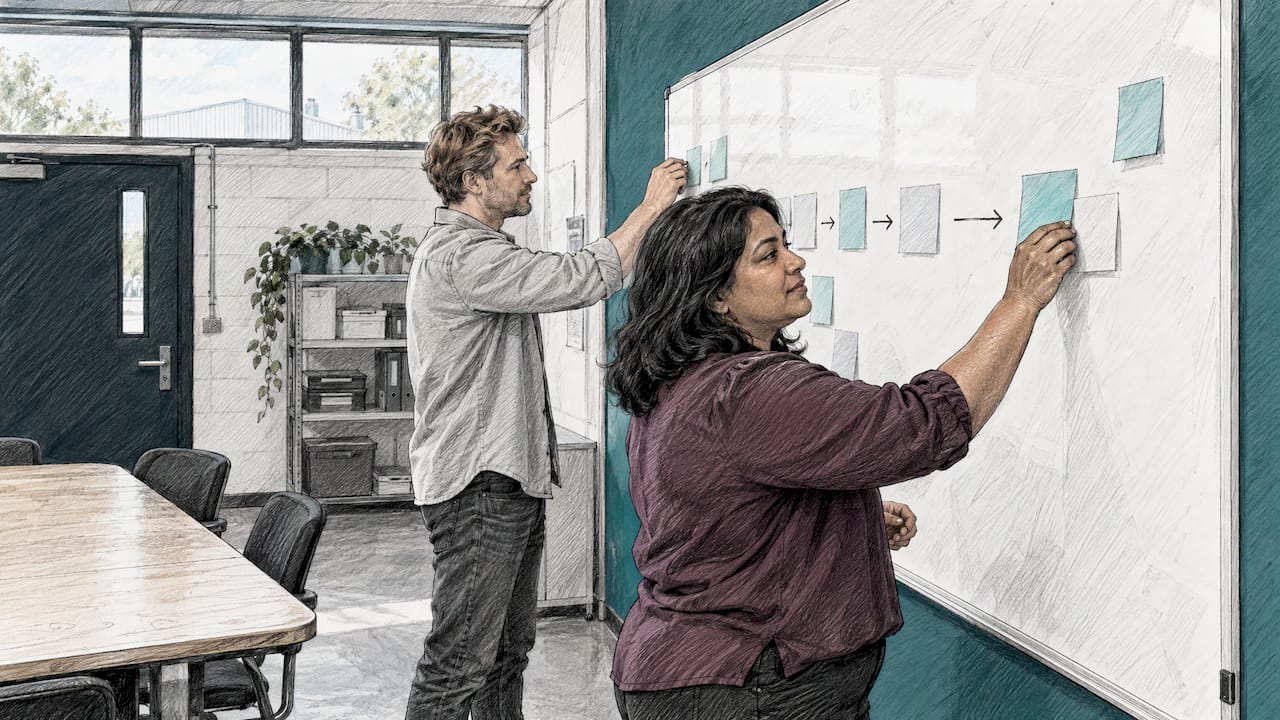
A process mapping workshop is a structured session where the people who do the work lay out, step by step, who does what, when and how. The goal is a map you can improve from, not a pretty diagram. The best ones take a few hours, focus on one process, use sticky notes on a wall, and end with named owners and a short list of changes. This guide walks through how to do it, written for owners and managers of small and medium businesses who want to run a session themselves or know what to expect from a good facilitator.
Table of Contents
- What is a process mapping workshop?
- Which process should you map first?
- Who should be in the room, and what should they bring?
- How do you run the session?
- What should a good process map include?
- How do you know the map is accurate?
- Where does process discovery fit in?
- What should you automate, and what should you fix first?
- What happens after the workshop?
- Perspective: why we start with the map
- Want help running the workshop and building from the map?
- FAQ
- Sources
What is a process mapping workshop?
It is a working session, not a presentation. A group maps the sequence of activities in one identified process in detail, with the aim of finding opportunities for improvement. That is how BDC's business advisor Éric Frenière describes it, and it is a fair summary of what you should expect.

BDC says a process map can help a business improve flexibility, increase quality, reduce costs and improve client satisfaction. None of that happens by itself. The map only shows where time, effort and handoffs go. You still have to decide what to change.
A few things a workshop is not:
- Not a policy review. You are not reading the procedure manual aloud.
- Not a software demo. Tools come after you understand the work.
- Not a blame session. People will only describe the workarounds they really use if they feel safe doing it.
Frenière makes a useful point about why this matters. He says a company that pays little attention to adding value for the client may reach only about 20% value-added activity in its processes, while world-leading organizations reach 60% to 70%. It will never be 100%, since travel, waiting and transportation add no value. But the client should not be paying for poor organization.
Which process should you map first?
Pick one process with a clear start and a clear finish. "Operations" is too big. "From the moment a quote request arrives to the moment the invoice is paid" is the right size.
Good first candidates for a small business:
- Quote to cash: request, quote, job booking, delivery, invoice, payment.
- New client onboarding: signed agreement through to the first piece of work.
- Scheduling and rescheduling: who books, who confirms, who fixes conflicts.
- Month-end reporting: where the numbers come from and who pulls them together.
A few signs you have chosen well:
- People complain about it, and the complaints are specific ("we type the same address three times").
- It crosses at least two people or two tools, so there are handoffs to examine.
- It happens often enough that a small fix saves real time.
- Someone in the room has the authority to approve a change.
If you are unsure, start with the process that touches both a customer and money. Those tend to hurt most when they go wrong, and the payoff from fixing them is easy to see.
Who should be in the room, and what should they bring?
Invite the people who do the work every day. Frenière's advice is that those directly or indirectly involved in the major activities should take part, because they know what isn't working and are more likely to buy in to the result. He adds that bringing them together often helps people understand what others do and why, and they can immediately see how to collaborate better.
For a small business, a good room looks like this:
- One or two people who perform the work (for example, the person who books jobs and the person who invoices).
- Someone who receives the output, such as the technician who gets the schedule or the client-facing person who handles complaints.
- Someone who coordinates, often an office manager or operations lead.
- One person who can say yes to a change, usually the owner or a department head.
- A facilitator who does not own the process and can ask naive questions.
Keep it to six to eight people. More than that and the quieter people stop talking.
Evidence to bring
Ask everyone to bring real material, with sensitive details removed:
- Three or four recent real cases, including one that went smoothly and one that did not.
- Examples of forms, emails, spreadsheets and screens used along the way.
- Rough numbers if you have them: how many jobs a week, how long a typical one takes.
If client or employee information is in those examples, remove names and account details first. Canadian businesses should also keep privacy obligations in mind when documents are shared; our guide to data mapping practices that stand up to PIPEDA audits covers that side.
How do you run the session?
You need very little equipment. Frenière notes that all you need are regular Post-its in different colours stuck on a wall and moved around. Each colour gets a meaning so the map reads at a glance. Afterwards, you can enter the result into process mapping software or an online whiteboard.
A workable colour scheme:
- Yellow: an activity ("enter order").
- Blue: a decision ("is the deposit paid?").
- Pink: a pain point or delay.
- Green: a tool or document used ("Excel quote sheet", "email").
- Orange: an exception, something that happens sometimes.
A half-day agenda
- Frame (15 minutes). State the process, its first trigger and its last result. Agree on what is out of scope.
- Walk one real case (60 to 90 minutes). Start with the trigger and have people place yellow notes in order, left to right. Ask "what happens next?" until you reach the end.
- Add the detail (45 minutes). Layer on decisions, tools, handoffs and the pain points.
- Add exceptions (30 minutes). Ask what happens when the client changes their mind, when the part is late, when the person is on vacation.
- Mark what hurts (20 minutes). Give everyone three dots to place on the steps that cost the most time or cause the most rework.
- Agree next steps (20 minutes). Name who will clean up the map and when you will meet again.
Facilitation habits that help
- Map what happens in practice, not what the manual says. When someone says "we're supposed to", ask what they actually do.
- Capture the workarounds. The sticky spreadsheet and the text message to a coworker are the most valuable things on the wall.
- Do not fix problems during the mapping. Park ideas on a separate board, or the group will never finish the map.
- Keep the language plain. If a step needs a paragraph, it is probably two steps.
What should a good process map include?
Start rough, then add detail. BDC recommends beginning with a SIPOC, which stands for suppliers, inputs, process, outputs and clients. It is a one-page overview that can quickly reveal dysfunction. You list who or what feeds the process, what goes in, the five or six main steps, what comes out and who receives it.
Then build a detailed map. In BDC's description, activities run in sequence from order intake to invoicing, with functions such as sales, administration, purchasing, production, shipping and finance placed from top to bottom. Seeing the lanes laid out this way makes bottlenecks visible, particularly where responsibilities pile up on one person or department.
According to APQC, a current-state, or "as-is", model should reflect how work is actually performed. That means capturing the steps, roles, systems, rules, handoffs and variations in use today.
A practical checklist for your own map:
- Start and end points are clearly marked.
- Every step has an owner, a role rather than a vague "the office".
- Every handoff shows what is passed on and how (email, shared drive, verbal).
- Systems and documents are named at the step where they are used.
- Decision points show both outcomes.
- Common exceptions appear on the map, not in a footnote.
- Pain points and delays are marked, ideally with a rough time or count.
How do you know the map is accurate?
A map made in one session is a first draft. Before anyone redesigns anything, check it against reality.
APQC suggests validation should confirm that the scope and boundaries are right, that activities reflect the work as it is really done, and that roles and handoffs are accurate. It should also confirm that connections and dependencies are visible, that terminology is understood across functions, and that any improvement assumptions are feasible.
A simple way to do that in a small business:
- Send the cleaned-up map to everyone who attended, plus one person who was not there.
- Pick one real, recent case and trace it through the map, step by step. If the case does not fit, the map is wrong or incomplete.
- Ask the person at each handoff: "Is this how it reaches you?"
- Note every disagreement. Settle each one or assign someone to find out.
- Get a clear yes from the process owner that the map is correct before moving on to redesign.
This step feels slow. It is also where most of the value hides, because the disagreements show where people hold different pictures of the same work.
Where does process discovery fit in?
You will see "process discovery workshop" used almost interchangeably with process mapping. In practice, discovery is the first part: capturing and documenting how an existing end-to-end process runs. Mapping is the technique you use to record it.
The University of Ottawa's Process Discovery Institute describes this distinction in its course material. Some maps are used to crystallize the "current state", and others to analyze opportunities before designing an optimized "future state". The order matters: current state first, future state second.
What should you automate, and what should you fix first?
Once the map is validated, look at the pink notes. For each, ask three questions:
- Is this step needed at all? If not, remove it.
- Is it needed but done badly? Simplify or standardize it.
- Is it needed, clear and repetitive? That one is a candidate for automation.
The Canadian nonprofit Nimara sums up the sequence in its workflow mapping workbook: map it, measure it, fix it, then automate it. Their method uses one meeting to write the work down, two weeks to measure it and a second meeting to decide what to change. It is a sensible rhythm for a small team.
Why fix before automating? Software repeats whatever you give it. If the approval chain has five unnecessary sign-offs, an automated version just runs five sign-offs faster.
Patterns worth looking for on your map:
- Re-keying. The same data typed into a CRM, a spreadsheet and an invoice.
- Waiting. Work sitting in someone's inbox until they notice it.
- Chasing. Reminders, follow-ups and status checks done by hand.
- Copy-paste reporting. Numbers gathered from three tools every month.
- Approvals without rules. Handoffs where it is unclear who signs off and when. Thinking through roles, approvals and automation in collaboration workflows is a useful exercise even outside marketing, because the same questions apply to any handoff.
For concrete ideas on what comes next, see our workflow automation examples for Canadian small businesses and our guide to which back-office tasks AI handles best. If you want a sequenced plan, the automation roadmap for Canadian SMEs shows how to order the work.
What happens after the workshop?
The workshop is only useful if something changes afterwards. Within a week, you should have a clean map, a ranked list of problems and a named owner for each action.
A public example of a follow-through structure is the 30-60-90 day plan from UC Berkeley's process improvement guide. It breaks the work into phases:
| Phase | Days | What happens |
|---|---|---|
| Develop | 1 to 30 | Design solutions and plan a pilot |
| Pilot | 30 to 45 | Test the proposed solutions and gather feedback |
| Implement | 45 to 75 | Communicate the change and roll it out |
| Close | 75 to 90 | Set performance metrics and complete an outcomes report |
After that comes monitoring, where you collect and analyze the metrics you chose.
For a small business, scale this down:
- Choose two or three changes, not twelve.
- Give each one an owner and a date.
- Decide how you will know it worked: hours per week, days from quote to invoice, number of corrections.
- Review monthly for a quarter, then fold the new steps into onboarding and everyday routines.
If you need help picking measures, our piece on operational efficiency metrics and a simple scorecard lays out four to start with.
Perspective: why we start with the map
We have sat through plenty of first meetings where an owner says, "We need a new system." Often what they need first is a clear picture of the work they already do. Without it, any tool, ours included, is a guess.
That is why we treat mapping as the first stage of a build, not a side activity. When a team lays out how quoting, scheduling, invoicing and reporting actually run, the same pattern shows up again and again: information typed in several places, work waiting on a person, and reports assembled by hand. Those are the places where one connected system can pay off.
Our approach is to build custom software around the processes you have mapped, so CRM, invoicing, scheduling and reporting sit behind one login and share the same data. You own the code, and pricing is fixed. Clients typically report saving 5 to 15 hours of administrative work a week after implementation, though your result depends on your processes and how well the team adopts the change. We would rather tell you that plainly than promise a number.
We also think training belongs alongside the build. A tool that nobody understands sits unused. Teaching people on their own tasks is what turns a map into a habit.
Harry Gill
Want help running the workshop and building from the map?
If you would rather not facilitate this yourself, we work with small and medium businesses in Surrey and Metro Vancouver to map the work, decide what is worth automating and build it. Depending on where you are, that can start with AI strategy consulting, a discovery sprint or a pilot, and continue into custom software that brings your tools together behind one login.
If your map points to repetitive manual steps, our AI workflow automation service is the place to start, and our team training workshops help your people use what gets built.
FAQ
How long does a process mapping workshop take?
A single process usually takes a half day for the first mapping session. Plan extra time afterwards for cleaning up the map, validating it with people who were not there and agreeing on actions. Larger or more tangled processes may need a second session, which is where Nimara's two-meeting rhythm is helpful.
Do we need special software?
No. BDC says regular Post-its in different colours on a wall are all you need, and you can enter the result into mapping software or an online whiteboard afterwards. Choose software only once the team agrees on the map.
What is the difference between a process mapping workshop and a process discovery workshop?
Discovery is about capturing how the process runs today, and mapping is the way you record and analyze it. Many sessions do both in one go. Either way, document the current state before you design the future state.
Should we map before buying or building software?
Yes. A validated map shows which steps are needed, which are waste and which are repetitive enough to automate. That makes any later software scope clearer and keeps you from automating a broken step.
Sources
- What is Process Mapping? (BDC)
- How should end-to-end processes be mapped and modeled? (APQC)
- Business Process Improvement course overview (University of Ottawa, Process Discovery Institute)
- Free Workflow Mapping Workbook (Nimara)
- Business Process Improvement for Teams (UC Berkeley)
- Ad Collaboration Workflows: Roles, Approvals, Automation