

A CRM and accounting integration makes the customer record and the financial record agree without anyone retyping. When a deal closes, the customer and invoice details reach your books. When the invoice is paid, the CRM shows it. For many small businesses the cleanest way to get there is not a chain of connectors between two products but one system built around your own process, with CRM, invoicing, scheduling and reporting behind a single login. That is what we build at AdaptAI for small and medium businesses in Surrey and Metro Vancouver. This guide explains how integration works, what to sync, and what to settle before you start.
Table of Contents
- What does CRM and accounting integration actually mean?
- What can sync between a CRM and accounting software?
- How do the two systems get connected?
- What should you check before you start?
- How do you keep the data accurate once it is connected?
- When is a connector enough, and when does a unified system pay off?
- What about moving data into a new system?
- What does it look like with AdaptAI?
- Perspective: why we build one system instead of wiring two together
- FAQ
- Sources
What does CRM and accounting integration actually mean?
A CRM (customer relationship management system) is where you keep customers, leads, quotes and conversations. Accounting software is where invoices, payments, taxes and reports live. Without integration, someone copies information from one to the other: a client name, an address, a quote total, a payment status.
Integration removes that copying. Data moves automatically in one or both directions, so a sales rep can see whether a customer has paid before calling about a new order, and the bookkeeper does not have to ask sales what was agreed.
In practice it saves time in three places:
- Data entry. Each customer and invoice is typed once, not two or three times.
- Errors. A misspelled legal name or a wrong amount is fixed at the source and stays fixed.
- Visibility. Sales, operations and finance work from the same numbers, so a monthly report does not start with a debate about whose spreadsheet is right.
Our clients typically report a reduction of 5 to 15 hours of administrative work per week after we connect their tools into one system. Your result depends on how much copying happens today, so count that first (see below).
What can sync between a CRM and accounting software?
Not everything should. The useful question is which records have an owner in each system, and which direction they travel. A sensible starting map looks like this:
| Record | Usually created in | Needed in | Why it matters |
|---|---|---|---|
| Customer / company | CRM | Accounting | One legal name, billing address and tax status |
| Quote or estimate | CRM | Accounting | Becomes the invoice without retyping |
| Invoice | Accounting (or the CRM, if it invoices) | CRM | Sales sees what was billed |
| Payment status | Accounting | CRM | Follow-ups stop when the invoice is paid |
| Products and services | Shared list | Both | Same item names and prices everywhere |
| Tax codes (GST, PST, HST) | Accounting | CRM or quoting tool | Quotes match what the invoice will charge |
The direction matters more than the length of the list. When a customer's address can be edited in both systems, sooner or later the two will disagree. Pick one system as the source of truth for each field and let the other read it.
How do the two systems get connected?
There are four common routes, and each has a different cost over time.
- Built-in connectors. The software vendor offers a ready-made link. Setup is quick, but you get the behaviour the vendor decided on.
- Middleware or automation platforms. A third tool sits between the two and moves data on rules you set. Good for simple flows, but the logic lives in someone else's platform.
- Direct API work. A developer connects the two systems' programming interfaces (the documented way software talks to software). It gives the most control and needs someone to maintain it.
- One unified system. CRM, invoicing, scheduling and reporting are one application sharing one database, so there is nothing to sync.
The last route is the one we build. Because the data lives in a single place, a customer is one record, not two records that must be kept alike. Our software is built around your own processes and data, and you own the code with no lock-in. If you want the longer version of that argument, see our page on custom software versus off-the-shelf.
Why does the switching cost matter?
Every integration method creates some dependency. Shopify's Canadian integration guidance points out that with middleware platforms the transformation rules and workflow definitions sit inside the provider's platform, so you should keep your data mappings documented elsewhere and confirm how you would export them. That advice applies to any integration you commission. We cover the same ground in our vendor lock-in checklist and 90-day drill.
What should you check before you start?
Most failed integrations fail in the preparation, not the technology. A Canadian accounting firm's checklist covers the right ground. Turned into a working list:
- Name the problem. "Invoices are typed twice" or "I can't see who owes us money" is a problem. "We should be integrated" is not.
- Confirm compatibility. Check the versions, plans and region of both products, and which connection method each supports.
- Map accounts, tax categories and payment types. Include refunds, processing fees and sales taxes, because these are where mismatches hide.
- Choose a start date for historical records. Decide how far back the data should go rather than importing everything by default.
- Grant only the permissions needed. The connection should not have more access than the job requires.
- Know where data is stored and how access is authenticated.
- Verify you can export your records if you ever change tools.
- Assign a person to review the first imports. Someone should look at the results and own the exceptions.
How do you size the prize before spending anything?
For one typical week, ask each person who touches customers or invoices to log every time they retype or re-check information between systems. Add the minutes. Multiply by your loaded hourly cost. That figure tells you how much an integration or unified system can realistically return, and it gives you something concrete to compare with a fixed-price quote.
How do you keep the data accurate once it is connected?
Connected systems still produce bad data if nobody decides who owns what. Four habits prevent most trouble.
- Define a system of record for every field. One place where a value is edited, everywhere else it is read.
- Plan for exceptions. Some records will fail to sync: a missing tax code, a duplicate customer, a partial payment. Give them a visible queue with a named owner instead of a hope that they won't occur.
- Test the awkward cases. Refunds against paid invoices, mixed-tax orders, part payments and foreign-currency sales should all be tried before real money moves.
- Run in parallel first. Compare the connected output with your existing books for a period, and have finance sign off before you switch over.
These ideas follow the staged approach in Shopify's guidance on mapping data and reviewing flows that carry customer information, which recommends keeping the surface that touches payment data and personal information small and confirming each vendor's security certifications, data residency, retention and breach-notification terms.
What about records and tax?
Integration does not change your record-keeping duties. The CRA's general rule is that businesses keep records for six years from the end of the last tax year they relate to, and electronic records must be reproducible in paper form on request, according to a CPA firm's summary of the CRA rules. The same source notes that original source documents such as invoices and receipts should be kept even when your software holds summaries. For your own situation, your accountant is the person to confirm what applies.
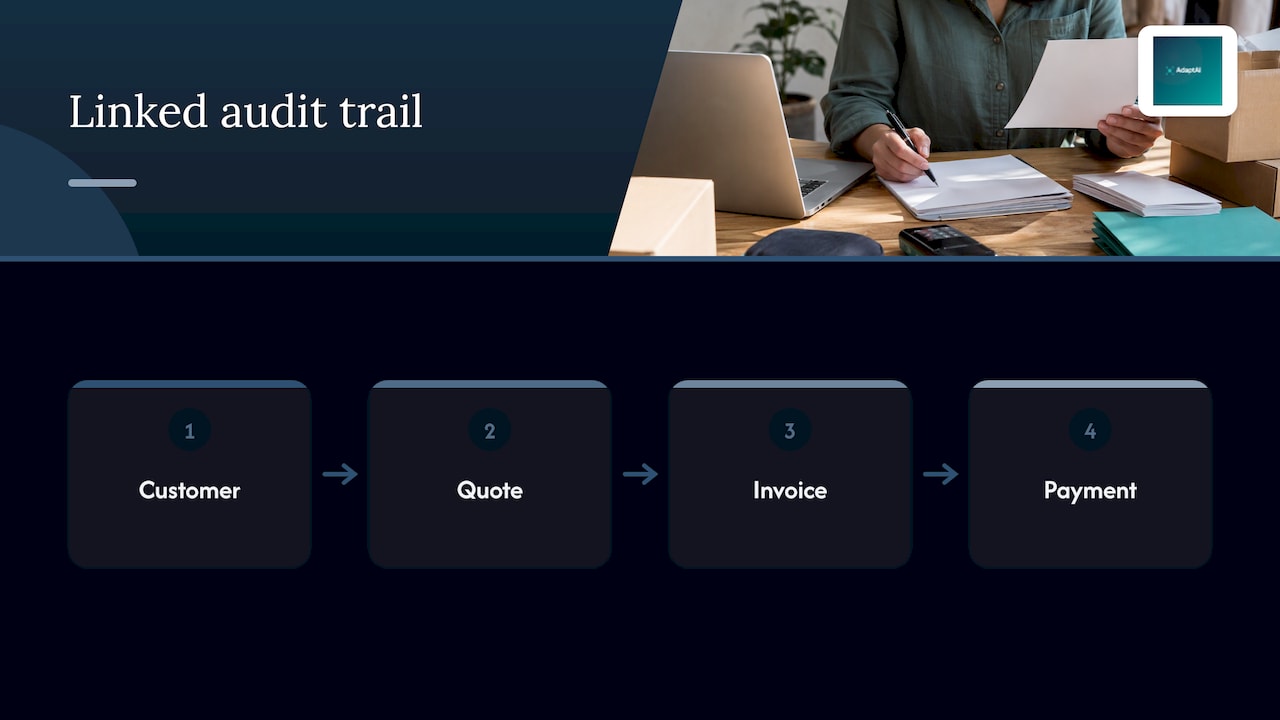
A clear audit trail helps here. When a customer, a quote, an invoice and a payment are all linked in one system, finding the paper trail for a question takes a search instead of a hunt through two logins.
When is a connector enough, and when does a unified system pay off?
If you have a tidy process, one CRM, one accounting product and a short list of fields to move, a standard connection may be all you need. The trouble starts when the business does not fit the connector.
That usually looks like one of these:
- Jobs, schedules and invoices need to stay linked, as in a trades or field service business.
- Quotes have custom line items or pricing rules that a generic CRM does not model.
- Several tools already overlap, and each new connection adds another place for data to go stale.
- Reports need numbers from sales, scheduling and billing together, and someone assembles them by hand.
In those cases, the question changes from "how do we connect these tools?" to "why are these separate tools at all?" A system built around your workflow answers it directly. Our HVAC contractor CRM case study shows what that looks like for a service business, and our article on field service integration explains how jobs, customers and billing connect.
If you are still weighing a standard connection first, our six admin steps for HubSpot and QuickBooks lay out what to tidy up before going custom. For the wider picture of how data flows across your business, see our data integration strategy piece, and for the billing side specifically, our invoice automation roadmap for Canadian finance teams.
What about moving data into a new system?
Whether you integrate or consolidate, the data has to be clean before it travels. Duplicate customers, inconsistent names and old contacts with no activity all follow you into the new setup. The sensible order is to profile the data first, fix what is wrong, then migrate. Our guide to CRM data migration walks through that sequence for operations and IT leads.
What does it look like with AdaptAI?
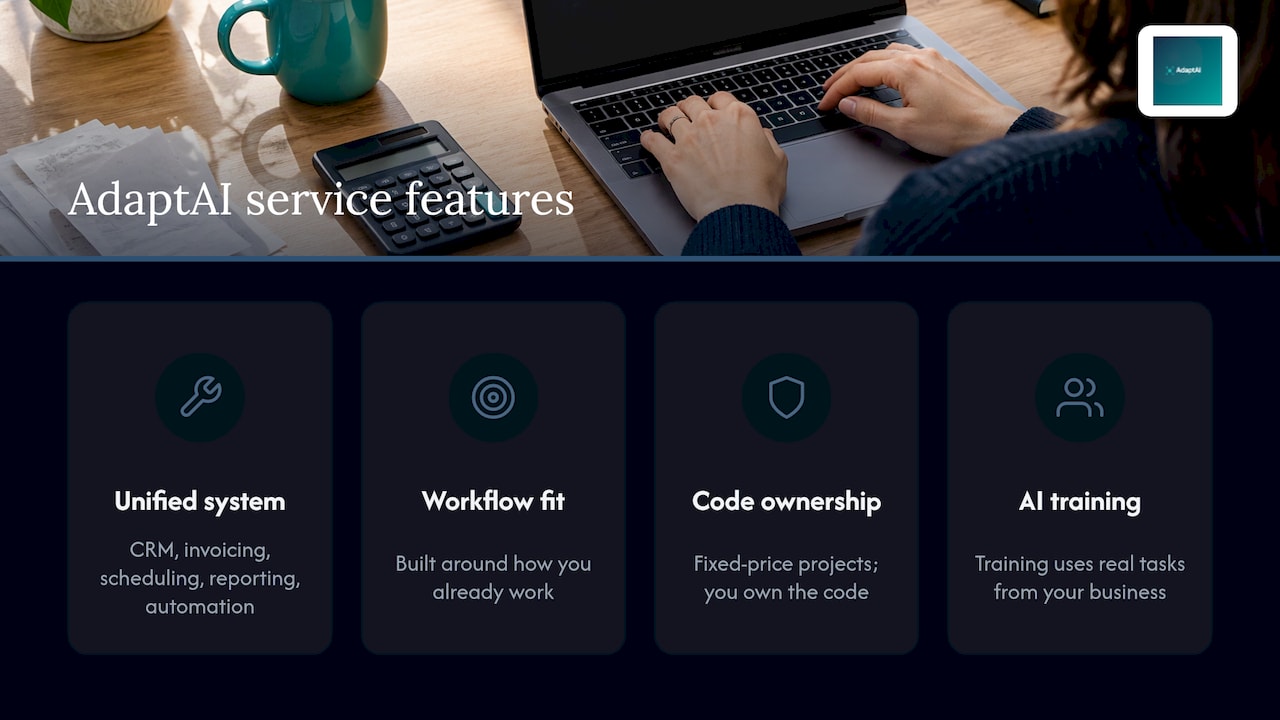
We build custom software that merges CRM, invoicing, scheduling, reporting and workflow automation behind one login, for small and medium businesses in Surrey and Metro Vancouver. Projects are fixed-price with regular milestones and local support, and you own the code.
The system is built around how you already work, so your team does not have to bend to a template. Once it is live, we also train your team on AI tools using real tasks from your business. If customer questions are eating your day, we build AI chatbots for customer service, and if the reporting is the headache, our data analysis and AI reporting work puts the numbers in one view.
To see what a unified build could replace in your stack, start at adaptai.ca. If you want to know how a project is scoped, our page on custom software cost for small business explains it.
Perspective: why we build one system instead of wiring two together
Most owners come to us asking for an integration. What they really want is to stop being the human connector between their own tools. Every time someone retypes a customer name or checks whether an invoice was paid, the business is paying for a gap between systems.
We think the better question is whether the gap should exist. When the CRM, the invoicing, the scheduling and the reporting share one database behind one login, there is no sync to babysit and no second record to drift out of date. Your team learns one tool, and your reports come from one source.
That is why we build around each client's real process and hand over the code. Owning it means you are never stuck. We also stay realistic: AI and automation do not fix a muddled process, so we start by mapping how work actually flows, then build, then train your people on real tasks so the system gets used.
If you are going to invest in connecting your customer and financial data, make it the kind of investment that simplifies your business rather than adding one more thing to maintain.
Harry Gill
FAQ
Is CRM and accounting integration worth it for a very small business?
It usually is once the same details are being typed in two places every week. Count the minutes your team spends on it. If the number is more than an hour or two, an integration or a unified system will pay back quickly, and the fix gets harder the more customers you add.
Do I need to replace my accounting software?
Not necessarily. Many businesses keep their accounting product as the ledger and connect it to a system built around their sales and operations. We scope that choice with you at the start of a project, based on how your process runs today.
How long does an integration project take?
That depends on how many fields, tools and exceptions are involved, and on how clean your data is. Preparation, meaning mapping fields, tax codes and the system of record for each value, takes the most thought. Our projects run with fixed pricing and regular milestones so you can see progress as it happens.
Who should own the integration after launch?
Give one named person responsibility for reviewing exceptions and approving changes to the field mapping. In a build we deliver, you own the code, and we offer ongoing support and team training so that person is not on their own.
Sources
- Accounting Software Integration: What Canadian Businesses Should Know
- Integrate Cloud Applications for Commerce (2026), Shopify Canada
- What records should I keep for CRA?