

Purchase order automation turns the PO from a static PDF into a living workflow: a record that tracks its own approval status, supplier acknowledgement, receiving and accounting handoff in real time. The immediate payoff is fewer manual touchpoints and fewer mismatches between what was ordered, received and billed. Benchmarking groups like APQC and enterprise platforms like SAP Ariba build entire measurement frameworks around exactly this shift.
Table of Contents
- Why does purchase order automation matter for procurement teams?
- How do you automate purchase orders step by step?
- What has to integrate with your ERP and accounting systems?
- How do approval workflows and exception rules stay under control?
- What security and vendor due diligence steps matter most?
- Which KPIs actually prove PO automation is working?
- What does a real PO automation pilot look like in practice?
- Custom build or off-the-shelf: which fits your PO workflow?
- Getting your PO automation pilot off the ground
- Sources
- FAQ
Why does purchase order automation matter for procurement teams?
Manual PO processes fail in predictable ways. Approvals sit in someone's inbox for days. Quantities and prices get retyped between systems, introducing errors nobody catches until the invoice arrives. Audit trails live in scattered emails and shared drives, which makes any compliance review painful.
Automating purchase orders fixes these failure points by making every step visible and time-stamped. When a PO is generated automatically from an approved requisition, matched against vendor master data, and routed by dollar threshold, you remove most of the manual re-entry that causes mismatches downstream.
A lightweight, well-scoped automation build can cut per-PO processing time and cost sharply. Industry estimates suggest manual PO handling can run from tens to hundreds of dollars per order once you count buyer time, rework and expediting fees. Automation strips out the typing and re-keying that drives that cost, and it scales without adding headcount at the same rate as order volume.
The operational benefits tend to cluster around three areas:
- Speed: approvals route automatically by rule instead of waiting on a manager's calendar.
- Accuracy: fewer manual re-entries means fewer price and quantity mismatches at invoice time.
- Visibility: every PO carries a status, an owner and a timestamp, so nobody has to ask "where is this?"
Pro Tip: Before automating anything, pull three months of PO cycle times and error rates from your current process. You'll need that baseline to prove the ROI later.
How do you automate purchase orders step by step?
A working PO automation rollout follows a defined sequence. Skipping steps, especially the pilot and shadow-mode stages, is the single biggest reason implementations stall.
- Map the current state and pick a pilot pocket. Document your existing PO volume, approval chain and common exception types. Choose one department or supplier category with clean data and moderate volume, not your most complex spend category, for the first pilot.
- Standardize intake and vendor master data. Clean up supplier records, catalogue items and unit-of-measure conventions before automation touches them. Automating a workflow feeding on inconsistent vendor data just automates the mess faster.
- Configure approval routing, thresholds and delegation. Set dollar-based approval tiers, define backup approvers for absences, and confirm every threshold matches your actual delegation of authority policy, not an assumed one.
- Automate PO generation and capture supplier acknowledgement. Once a requisition clears approval, the system should generate the PO and send it through whatever channel the supplier already uses, then log the acknowledgement automatically.
- Connect receiving and enable three-way matching. Link receiving confirmations (goods or services received) to the original PO and the eventual invoice, so discrepancies in price or quantity surface automatically instead of at month-end close.
- Run in shadow mode, validate and iterate before full cutover. Let the automated workflow run in parallel with your manual process for two to four weeks. Shadow mode testing exposes parsing errors and rule gaps before they touch live spend, and it gives your team a low-risk way to build confidence in the system's accuracy.
Only after shadow mode results look clean should you retire the manual fallback. Teams that skip this step tend to discover their exception rules were wrong only after suppliers start complaining about missed POs.
What has to integrate with your ERP and accounting systems?
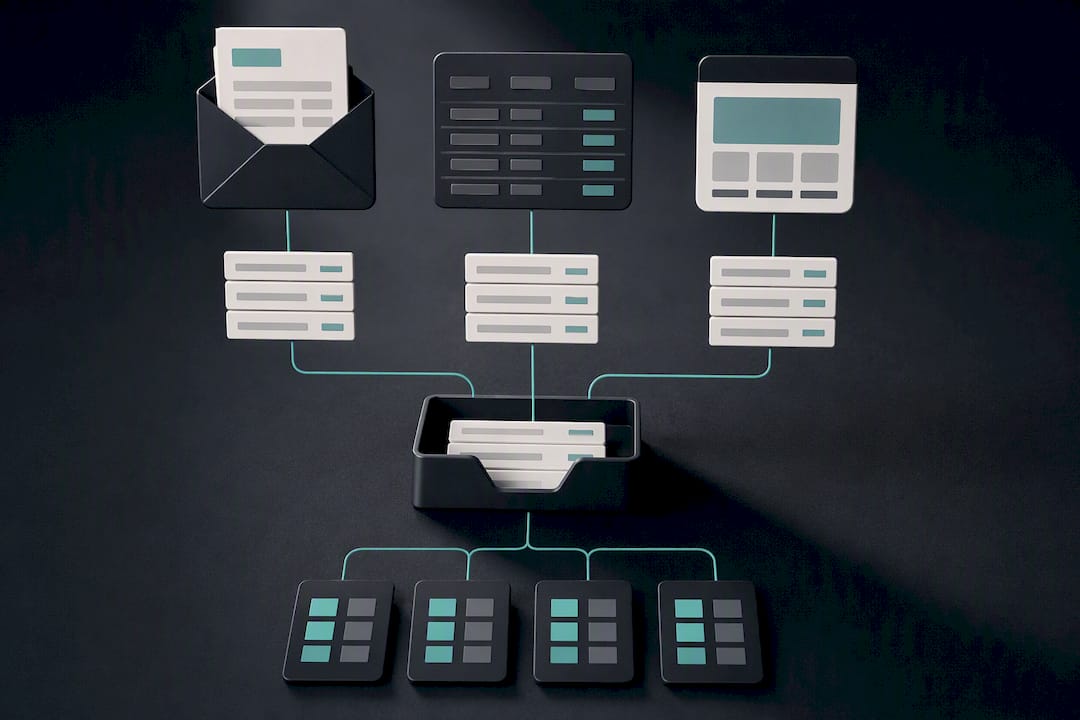
Purchase order management sits at the intersection of procurement, receiving and accounting, so integration scope matters more than most vendors admit upfront. The objects that must sync cleanly include:
- Purchase orders and their status history
- Goods and services receipts
- Supplier master records (contacts, terms, banking details)
- Inventory or item catalogues
- Chart of accounts and cost-centre codes for the accounting handoff
You have two broad architectural choices: ERP-native automation built directly inside platforms like SAP or Oracle, or middleware that sits between your existing tools and pushes data both directions. ERP-native tends to fit larger organizations already committed to one platform's ecosystem. Middleware, or a custom-built integration layer, tends to fit small and mid-sized businesses running a patchwork of tools, since it avoids ripping out systems that already work.
Supplier communication channels usually don't need to change at all. Keeping email, EDI, or a supplier portal exactly as suppliers already use them while capturing structured data from those replies in the background reduces supplier friction dramatically compared with forcing a portal switch. The accounting handoff should map every PO line to a general ledger code automatically, so finance receives clean, coded data rather than a batch of PDFs to interpret manually.
How do approval workflows and exception rules stay under control?
A PO approval workflow needs firm rules, but rigid rules without an escape valve just create bottlenecks.
Start with an approval matrix mapped to real delegation of authority: who approves what dollar amount, and who backs them up when they're on leave. Reference models like the role-based approval flows in SAP Ariba, which separate requester, buyer and manager tasks, are a useful structure even if you're not running that platform.
Set tolerance bands for price and quantity variance, typically a small percentage window, so minor supplier-side rounding doesn't trigger a manual review every time. Anything outside that band routes automatically to an exception queue with an escalation timer.
- Automated reminders should nudge approvers after a set number of hours, then escalate to a backup after a second threshold.
- Every action needs an immutable, time-stamped log entry tied to a specific user role.
- Role-based access should limit who can approve, edit or override a PO, keeping the audit trail defensible.
Pro Tip: Set your first exception tolerance band wider than you think you need. You can tighten it after you see real variance data; starting too tight just floods your exception queue in week one.
What security and vendor due diligence steps matter most?
Procurement systems move money and supplier banking details, which makes them a real target. Business email compromise and vendor email compromise attacks specifically target supply chains, often by impersonating a known vendor to redirect a payment.
Before signing with any automation vendor, run through this minimum checklist:
- Confirm SOC 2 Type II certification and ask for the audit report, not just a claim of compliance.
- Verify encryption in transit and at rest, and confirm role-based access control (RBAC) is configurable down to the field level.
- Get a data processing agreement (DPA) that names subprocessors and specifies data residency.
- Pin down incident response SLAs in writing, including notification timelines if a breach occurs.
- Test rollback procedures before go-live. Confirm you can revert to manual processing without losing data if the pilot fails.
Vendor-evaluation guidance from firms like Gartner consistently flags subprocessor transparency and incident response terms as the two clauses buyers skip reading, and the two that cause the most pain later.
Which KPIs actually prove PO automation is working?
Vague success claims don't survive a budget review. You need numbers finance will accept, tracked from week one.
| KPI | What it measures | Typical pilot target |
|---|---|---|
| Touchless rate | % of POs requiring zero manual intervention | Rising trend over 90 days |
| Cycle time | Time from requisition to PO issuance | Reduced vs. baseline |
| Exception rate | % of POs flagged for manual review | Declining after shadow mode |
| Buyer hours saved | Hours reclaimed from manual PO tasks weekly | Tracked against baseline |
| Cost per PO | Fully loaded processing cost per order | Reduced vs. baseline |
| OTIF | On-time, in-full delivery rate | Stable or improved |
A simple ROI model multiplies hours saved per week by your team's fully loaded hourly rate, then adds avoided costs like rush shipping fees and rework from pricing errors. APQC's benchmarking framework is a solid reference point for setting realistic cycle-time and touchless-rate targets rather than guessing at round numbers. Review these KPIs monthly during the pilot, then quarterly once the process stabilizes.
What does a real PO automation pilot look like in practice?
AdaptAI's AutoLedger project consolidated a client's purchase order intake, approval routing and accounting handoff into one connected system, replacing a mix of spreadsheets, email approvals and a separate accounting login. Some clients report reclaiming five to fifteen hours of administrative work per week once the workflow is live.
A typical pilot scope runs 30 to 90 days and includes:
- Integration with the existing accounting system, without forcing a platform switch
- A configured approval workflow matching the client's actual delegation of authority
- Supplier acknowledgement capture through whatever channel suppliers already use
- A short training block so the team can adjust rules themselves after launch
The clearest lesson from projects like this: supplier onboarding and internal change management matter more than the software configuration itself. Teams that pick one visible early win, like automating acknowledgement tracking for their five busiest suppliers, build momentum faster than teams that try to automate everything on day one.
Custom build or off-the-shelf: which fits your PO workflow?
Off-the-shelf platforms make sense when your approval chain and supplier mix look like everyone else's. A custom build earns its cost when your workflows are genuinely unusual: a legacy ERP with no modern API, a supplier base still running entirely on email, or an approval matrix too specific for generic software to model without heavy workarounds.
The trade-off is real. Custom builds cost more upfront but you own the code outright, with no forced upgrades or vendor lock-in. Whichever path you choose, the change management sequence stays the same: start with one pilot pocket, run it in shadow mode, and measure before you scale.
— Harry Gill
Getting your PO automation pilot off the ground
Some providers offer custom procurement platforms for businesses whose PO workflow doesn't fit a standard template. These systems can be tailored to approval chains, vendor lists and accounting setups, connected behind one login, and once built, clients may own the code with no lock-in.
If your team is buried in manual approvals, mismatched invoices or a patchwork of spreadsheets standing in for a real PO workflow, a readiness assessment is the natural first step. AdaptAI's AI workflow automation service scopes a 30 to 90 day pilot around your highest-friction supplier category first, so you see measurable results before committing to a full rollout. Teams that also need their staff comfortable running the new system can pair the pilot with AI training workshops to make sure the rules get maintained correctly after launch. Book a scoping call to map your current PO process and find out what a custom build would actually cost for your volume.
Sources
For readers building the business case internally, a few sources are worth bookmarking:
- Using SAP Ariba — CanadaBuys
- Procurement performance assessment (APQC)
- How to justify PO automation: business case, security checklist, and 90‑day implementation (Leverage AI)
FAQ
How can I automate the purchase order process?
Start by mapping your current requisition-to-payment flow, then automate one piece at a time: PO generation, approval routing, supplier acknowledgement and three-way matching. Most successful rollouts run a shadow-mode pilot for two to four weeks before fully replacing the manual process, as outlined in Leverage AI's implementation guide.
What software is best for PO tracking?
The right choice depends on whether your workflows fit a standard template or need custom logic for an unusual approval chain or legacy ERP. Enterprise platforms like SAP Ariba offer standardized role-based tracking, while a custom-built system, like the ones AdaptAI develops, fits businesses whose processes don't map cleanly onto off-the-shelf software.
Is there a free app that can create purchase orders?
Basic PO templates and spreadsheet tools exist for very low volume, but they don't offer approval routing, supplier acknowledgement tracking or three-way matching. Once your PO volume or supplier count grows, the manual re-entry these tools require tends to cost more in buyer hours than a modest automation investment.
What are the four types of PO?
Procurement commonly recognizes standard POs (one-time purchases with fixed terms), planned POs (a committed order with an estimated delivery schedule), blanket POs (an ongoing agreement covering multiple orders over time), and contract POs (governed by a formal supplier contract with pre-negotiated terms). Each type routes and matches differently in an automated workflow, so your system needs rules for all four if you use them.