
This article gives you a ready-to-use library of business ChatGPT prompts, organized by job, plus the frameworks and governance steps you need so they keep working after week one. You'll find copy-paste prompts for marketing, operations, finance, hiring, and customer service, built around the same five-part structure the best guides use. No theory dumps. Just prompts you can paste into ChatGPT or Gemini right now.
Table of Contents
- What makes a business ChatGPT prompt actually work
- Copy-paste ChatGPT prompts organized by business job
- COSTAR, RACE, and how to turn a weak prompt into a strong one
- How to refine a prompt until it's actually production-ready
- Turning good prompts into a team asset
- Three quick examples with real prompt-to-output results
- How AdaptAI applies these prompt practices with real clients
- Ethical considerations and bias mitigation in business ChatGPT prompts
- How to know if your prompts are actually working
- Getting ChatGPT prompts into your daily workflow
- Where AI-generated business content can still go wrong
- A candid note on getting started without overcomplicating it
- When it's time to move from prompts to a real system
- Where to learn more about prompt structure and business AI
- Sources
- FAQ
What makes a business ChatGPT prompt actually work
Most bad ChatGPT outputs trace back to one problem: the prompt only gave the model half the picture. You know the feeling. You type "write a marketing email for my bakery" and get something so generic it could belong to any bakery on the planet. The fix isn't a magic phrase. It's structure.
Every reliable business prompt has five ingredients: role, context, task, format, and constraints. Skip one and you're gambling on the model guessing what you meant.
Role tells the model who to be. "Act as a senior copywriter who specializes in local service businesses" produces a different draft than no role at all. Context is the two sentences of background that separate a usable draft from a generic one. Who are you, who is this for, and what do they already know? Business-focused prompt guidance consistently finds that adding this context before the actual ask improves usefulness far more than tweaking the wording of the task itself.
Task is the one thing you want done. Not three things. One. Format specifies exactly how the output should look: a table with three columns, a 150-word paragraph, a bulleted list capped at five items. Constraints are your guardrails: tone, length limits, words to avoid, facts the model must not invent.
Here's what that looks like stacked together:
- Role: "You are a customer service manager with retail experience."
- Context: "We run a 12-person home goods store. A customer received a damaged lamp and is asking for a refund."
- Task: "Draft a reply that offers a replacement or refund."
- Format: "Keep it under 120 words, three short paragraphs."
- Constraints: "Warm tone, no corporate jargon, don't promise a specific delivery date."
That's five sentences, and it will outperform a vague one-liner every time.
A few quick rules make the difference between a decent prompt and a great one. Scope one deliverable per prompt. Bundling "write my social post, then my ad copy, then a subject line" into one message tends to produce shallow, rushed answers for all three. Include an example whenever tone matters. Pasting two lines of your actual writing style pins the voice far more reliably than telling the model to sound "friendly" or "professional." Specify format and length up front, because "keep it short" means different things to different models. And avoid vague adjectives altogether. "Make it punchy" gives the model nothing to grab onto. "Use one short sentence as a hook, then two supporting sentences" does.
One more thing worth knowing before you start: ChatGPT and Gemini for Workspace handle context differently. Gemini's Workspace integration lets you tag a Doc, Sheet, or Gmail thread directly into the prompt, which is useful when you want a summary or comparison pulled from your own files rather than the model's general knowledge. ChatGPT tends to need you to paste that context manually unless you're using a custom GPT with file uploads enabled.
Pro Tip: Never paste client financial details, medical information, or unreleased product data into a general ChatGPT prompt unless your account has enterprise-grade data controls. Treat every prompt box like an email you wouldn't want forwarded.
Copy-paste ChatGPT prompts organized by business job
These prompts follow the role, context, task, format, constraint structure from the section above. Swap the bracketed placeholders for your own details, and adjust currency or spelling conventions to match your market. Small-business prompt libraries built by Google Workspace and similar guides consistently prioritize these exact task categories because they recur weekly and eat the most unpaid admin time.
1. Marketing and content
Use these when you need consistent output for social posts, emails, and ad copy without hiring a full-time writer.
- "Act as a social media manager for [business type]. Write 3 Instagram captions promoting [product/offer], each under 40 words, with one relevant emoji, no hashtags."
- "You are an email marketer. Write a subject line and 100-word body announcing [event/sale] to past customers. Tone: warm, not salesy."
- "Write 5 headline variations for a Google ad promoting [service]. Max 30 characters each. Include one that mentions price."
- "Summarize this blog post into a 3-sentence LinkedIn post aimed at small-business owners: [paste text]."
- "Create a content calendar for the next 2 weeks with 6 post ideas for [business type], mixing educational and promotional content. Present as a table with date, platform, and topic."
- "Rewrite this product description to sound more conversational and cut it to under 60 words: [paste text]."
Full example: "Act as a copywriter for a boutique landscaping company in [city]. Context: we're launching a fall cleanup package aimed at homeowners who've never used a landscaper before. Task: write a Facebook post announcing the package. Format: under 80 words, one call to action, no exclamation marks. Constraints: mention the price starts at $[X], avoid the words 'transform' or 'elevate'."
2. Operations
These prompts handle the recurring back-office tasks that quietly consume hours every week.
- "Act as an operations manager. Draft a standard operating procedure for [task], written for a new employee with no prior experience. Format as numbered steps."
- "Turn this messy list of tasks into a prioritized checklist grouped by urgency: [paste text]."
- "Write a polite Slack message asking a supplier for an updated delivery timeline on order #[number]."
- "Create a table comparing these three vendors on price, delivery time, and warranty: [paste details]."
- "Draft an internal announcement telling staff about a new scheduling policy starting [date]. Keep it under 100 words, friendly but firm tone."
3. Finance and invoicing
These focus on the money conversations most owners put off longest.
- "Act as a bookkeeper. Write a friendly but firm invoice reminder email for an invoice that's 15 days overdue. Include the invoice number and amount as placeholders."
- "Draft a short note to a client explaining a price increase taking effect [date], keeping the tone appreciative, under 120 words."
- "Summarize this expense list into three categories and flag anything over $500: [paste list]."
- "Write a payment plan proposal for a client who owes $[amount], offering three monthly instalments."
Full example: "Act as a small-business accounts manager. Context: [client name] has an unpaid invoice of $[amount], 20 days past the 30-day due date, and has been a reliable client for two years. Task: write a follow-up email. Format: under 100 words, three short paragraphs. Constraints: no threatening language, offer a phone call as an option, sign off with [your name]."
4. Hiring
Use these to speed up job postings, screening, and candidate communication without losing the human touch.
- "Write a job posting for a [role] at a [business type] with [number] employees. Format: title, 3 bullet responsibilities, 3 bullet requirements, closing line about culture."
- "Draft 5 interview questions to assess problem-solving skills for a [role] candidate."
- "Write a rejection email that's warm and specific, referencing that the candidate interviewed well but the team chose someone with more [skill] experience."
- "Summarize these 4 resumes and rank them by fit for a [role] focused on [key skill]: [paste text]."
5. Customer service
These prompts are built for the replies that need to happen fast but still sound like a person wrote them.
- "Act as a customer service lead. Write a reply to a customer complaining about [issue], offering [solution]. Under 100 words, empathetic tone, no corporate phrases."
- "Draft a FAQ answer explaining our return policy in plain language, under 50 words."
- "Write 3 chatbot conversation starters for a website chat widget for a [business type], each under 12 words."
- "Turn this angry customer email into a calm summary of the actual problem, in 2 sentences: [paste text]."
6. Meetings
Meeting prep and follow-up eat more time than most owners track. These close that gap.
- "Create a 5-point agenda for a 30-minute team meeting about [topic]."
- "Summarize this meeting transcript into action items with owners and deadlines: [paste text]."
- "Draft a follow-up email to a client after a sales call, referencing [key point discussed] and proposing next steps."
COSTAR, RACE, and how to turn a weak prompt into a strong one
Two frameworks show up constantly in structured prompt engineering guidance: COSTAR and RACE. Both are just formalized versions of the five-part brief you already learned, organized slightly differently depending on the task.
COSTAR stands for Context, Objective, Style, Tone, Audience, Response format. It works best for content creation, where tone and audience matter as much as the task itself, think marketing copy, client emails, or presentation scripts.
- Context: background the model needs
- Objective: the single outcome you want
- Style: how it should read (formal, punchy, conversational)
- Tone: the emotional register (warm, urgent, reassuring)
- Audience: who's reading the output
- Response format: the exact shape of the answer
RACE stands for Role, Action, Context, Expectation. It's leaner and works well for operational tasks where tone matters less than getting the deliverable exactly right, think SOPs, data summaries, or internal memos.
Both frameworks map directly onto role, context, task, format, constraints. COSTAR just splits "constraints" into style, tone, and audience because those three variables matter enormously in customer-facing writing. RACE keeps things tighter for internal, functional work.
Here's the difference in practice.
Weak prompt: "Write a good email to a customer who's upset about a late delivery."
Strong rewrite using COSTAR: "Context: we're a small furniture retailer and a customer's sofa delivery is now 6 days late due to a supplier delay. Objective: apologize and offer a $50 credit while rebuilding trust. Style: conversational, not corporate. Tone: sincere, not defensive. Audience: a first-time customer who has emailed twice already. Response format: under 130 words, three short paragraphs, no subject line needed."
The gap between those two prompts isn't wording. It's information. The weak version forces the model to invent a customer, a delay reason, and a resolution out of thin air. The strong version removes every guess the model would otherwise have to make, which is exactly what OpenAI's own prompt guidance points to when it recommends scoping a single deliverable with explicit structure.
Notice what changed: a vague adjective ("good") became a specific outcome (a $50 credit). An assumed audience became a named one (a frustrated repeat emailer). And an open-ended length became a hard constraint. None of these changes took more than a minute to write, and the output quality gap between the two versions is not subtle.
How to refine a prompt until it's actually production-ready
Your first draft of a prompt is rarely your best one. Treat prompt writing the way you'd treat a first sales call script: expect to revise it after you see how it actually performs.
- Chain instead of bundling. Break big tasks into stages: research, draft, critique, polish. Ask the model to gather key points first, then draft from those points, then critique its own draft against your constraints, then produce a final polish. This avoids the fragmented, half-finished feel that comes from asking for everything in one shot, a pattern OpenAI's cookbook specifically warns against calling "prompt bundling."
- Add few-shot examples when tone is finicky. If the model keeps missing your voice, paste two short samples of writing you actually approved. This is called few-shot prompting, and it pins tone far more reliably than describing it with adjectives.
- Use chain-of-thought only for genuinely complex tasks. Asking the model to "think step by step" before answering helps with pricing calculations or multi-variable decisions. It's overkill for a one-line social caption.
- Run a quick acceptance check before you trust a prompt long-term. Ask three questions: Would I send this output to a client without editing it? Did it follow every format and length constraint? Did it avoid inventing any facts I didn't provide? If you answer no to any of those twice in a row, the prompt needs another round of edits, not a one-off fix.
Pro Tip: Keep a "before and after" note for any prompt you revise more than twice. You'll start noticing a pattern, usually that your context section was too thin, and that pattern will fix half your future prompts before you even write them.
Turning good prompts into a team asset
A prompt that only lives in your own chat history disappears the day you're busy or on vacation. Building a small prompt library turns a one-off trick into something your whole team can rely on.
Keep the taxonomy simple: name prompts by job function and task, like marketing_social_caption_v2 or finance_invoice_reminder_v1. Attach four metadata fields to each one: owner, version number, date last tested, and an acceptance score (even a rough 1 to 5 rating works). Prompt engineering guidance built for business use recommends exactly this kind of lightweight versioning, paired with a peer review step before a prompt gets added to the shared library.
- Store prompts in a shared doc or spreadsheet, not scattered across individual chat histories.
- Require one teammate to test any new prompt before it's added to the shared list.
- Run a quarterly audit: delete prompts nobody's used in three months, and re-test the ones people use daily.
- Flag any prompt handling client data or financial figures for extra review before it's shared team-wide.
Once a prompt gets used the same way more than a few times a week, it's usually worth automating rather than manually pasting it in each time.
| Signal | What it means for that prompt |
|---|---|
| Used daily by more than one person | Strong candidate for a workflow automation or custom GPT |
| Needs frequent manual tweaking | Not yet stable enough to automate, keep refining |
| Touches sensitive client or financial data | Requires review before wider team access |
| Consistently rated high on acceptance checks | Ready to document and add to the shared library |
Three quick examples with real prompt-to-output results
Seeing a full prompt next to its output makes the pattern click faster than any explanation.
Social post: Prompt: "Act as a social media manager for a pet grooming salon. Write one Instagram caption announcing a 2-for-1 nail trim special this weekend, under 35 words, one emoji, playful tone." Output excerpt: "This weekend only: book one nail trim, get a second free. Your pup's paws (and your floors) will thank you. 🐾" Tweak tip: if the tone feels too casual for your brand, add "professional but warm" to the constraints line.
Invoice reminder: Prompt structure from the finance section above, adapted with a real client name and amount, produced a three-paragraph email that opened with a friendly check-in, stated the overdue amount clearly, and closed with a phone call offer, all in 94 words. Tweak tip: paste your actual invoice terms into the context so the model references the correct grace period.
Meeting summary: Feeding a 20-minute transcript into the meetings prompt above returned five action items, each with a suggested owner based on who spoke about that task, cutting a normally 15-minute write-up down to about 2 minutes of editing. Tweak tip: ask the model to flag any item where the owner wasn't clearly stated in the transcript, rather than guessing.
How AdaptAI applies these prompt practices with real clients
These frameworks aren't theoretical for us. Harry Gill and the AdaptAI team build custom software and AI training programs for small and medium businesses across Surrey and Metro Vancouver, and prompt structure like this is exactly what shows up in the team training workshops we run for client staff.
Clients who move from ad-hoc prompting to a documented, versioned prompt library typically report saving 5 to 15 hours of administrative work per week, time that used to go into rewriting emails, chasing invoices manually, or drafting the same kind of social post from scratch every time.
Operationalizing a prompt library for a client usually means three things: documenting the five best prompts for their most repeated tasks, connecting those prompts to the systems that already hold their data (so nobody's copy-pasting from three different tools), and training the team on when a prompt is reliable enough to trust versus when it still needs a human check. That's a very different starting point than handing someone a generic prompt list and hoping it sticks.
Ethical considerations and bias mitigation in business ChatGPT prompts
ChatGPT reflects patterns from its training data, which means outputs can carry subtle bias, especially in hiring language, customer tone assumptions, or descriptions tied to age, gender, or ability. A job posting prompt that isn't checked carefully can end up favouring certain candidate profiles through word choice alone, even when nobody intended that outcome.
Build a bias check into your review step rather than treating it as a separate task. When you're using ChatGPT for hiring, customer replies, or anything describing people, read the output specifically looking for assumptions: does it assume a customer's gender, assume a candidate's age range, or use language that reads differently depending on who's reading it? If you're unsure, ask the model directly: "Review this for language that could unintentionally exclude or stereotype a group of people."
Transparency matters too. If customers are interacting with an AI chatbot rather than a person, tell them. Trust erodes fast when people feel misled about who, or what, they're talking to. And for anything factual, pricing details, policy claims, legal statements, require the model to flag uncertainty rather than guess. Asking it to mark unclear sections as [NEEDS VERIFICATION] rather than filling gaps with plausible-sounding invented detail keeps a human in the loop exactly where it matters most.
How to know if your prompts are actually working
A prompt "working" means something specific: it produces output you can use with minimal editing, consistently, across different team members who run it. That's measurable, even informally.
Track three things over a couple of weeks. First, editing time: how much do you actually change before sending or publishing the output? If you're rewriting more than a third of it, the prompt needs work, not the output. Second, consistency: does the same prompt produce similarly usable results when a different team member runs it? If results vary wildly by person, your context section probably needs more specificity, not less. Third, error rate: how often does the model invent a fact, misstate a policy, or produce something you'd never actually send?
Build a lightweight feedback loop rather than a formal system. After using a prompt five or six times, jot a one-line note: what worked, what needed fixing, what you changed. This is the same acceptance-check habit from the iteration section, just applied over a longer stretch. Over a month, those notes tell you which prompts have earned a permanent spot in your library and which ones need another rewrite or should be retired.
Don't confuse a good single output with a good prompt. One great result might be luck. Five good results across different tasks and different weeks is a pattern worth keeping.
Getting ChatGPT prompts into your daily workflow
A prompt sitting in your ChatGPT history does nothing for the team member who doesn't know it exists. The real value shows up once prompts live where work actually happens, not in a separate tab you have to remember to open.
Start with the lowest-friction option: a shared document or spreadsheet with your saved prompts, organized by the job categories from earlier in this article, that anyone on the team can copy from. That alone solves the biggest problem most small businesses have, which isn't prompt quality, it's prompt discovery.
From there, some tools let you go further. Gemini for Workspace lets you tag a Doc, Sheet, or Gmail thread directly into a prompt, so a summary or comparison pulls from your actual files instead of general knowledge. If you're using ChatGPT, a custom GPT with your brand voice, policies, and common templates built in saves your team from retyping the same context paragraph every single time.
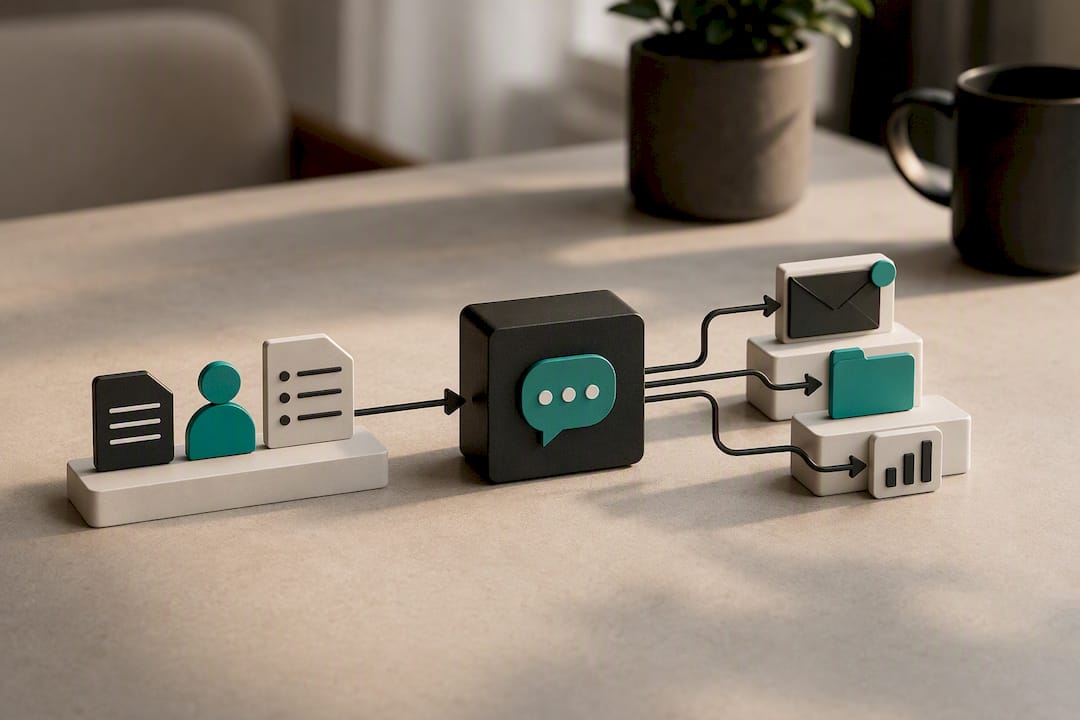
The next step up is workflow automation: connecting a prompt to a trigger, like a new invoice, a new lead, or a form submission, so the output gets generated without anyone opening a chat window at all. That's a meaningful jump in complexity from a shared prompt doc, and it's usually where teams either bring in outside technical help or decide the manual version is working fine for now.
Where AI-generated business content can still go wrong
Every prompt in this article can produce a genuinely useful draft. None of them replace human judgment on anything that touches money, legal exposure, or a client relationship you actually care about.
The most common failure mode isn't a wildly wrong answer, it's a confidently plausible one that's subtly off. A model might state a return policy detail that sounds right but doesn't match your actual policy, or summarize a contract clause in a way that misses a critical exception. These errors are dangerous precisely because they read smoothly.
Treat anything factual as a draft requiring verification, not a finished answer. Never send a client-facing legal, financial, or medical claim straight from a ChatGPT output without checking it against your own records. For hiring and customer service, keep a human reviewing anything that could affect someone's opportunity or trust in your business, at least until you've built a long track record with that specific prompt.
Data privacy deserves its own line of caution. Standard ChatGPT accounts are not built for confidential client data, medical records, or financial account details. If your business handles sensitive information regularly, that's a conversation about enterprise data controls, not a prompt-wording fix.
Finally, remember that AI output quality drifts. A prompt that worked well six months ago might behave differently after a model update. Revisit your saved library periodically rather than assuming it's set once and done forever.
A candid note on getting started without overcomplicating it
Start with one job function, not all six. Pick whichever eats the most of your week, invoicing follow-ups, social posts, whatever it is, and get three or four prompts working well there before you touch the rest. Save the ones that work. Delete the ones that don't after two tries.
If you're comfortable typing and tweaking, do this yourself for a few weeks. It costs nothing but time, and you'll learn your own patterns fast. If you're already stretched thin, or the prompts you need touch integrated systems (client records, invoicing, scheduling), that's when outside help usually pays for itself faster than DIY trial and error.
One caution worth repeating: verify anything factual before it reaches a client, and never paste sensitive data into a general chat window without checking your account's data controls first.
— Harry Gill
When it's time to move from prompts to a real system
Copy-paste prompts get you far, but at some point the manual work of pasting, tweaking, and re-running the same prompt every week becomes its own time drain. That's usually the signal you've outgrown a prompt library and need it connected directly to the tools you already use.
There are alternatives to hiring agencies piecemeal for chatbots, automations, and training separately. We build one custom system that connects your CRM, invoicing, scheduling, and reporting behind a single login, then bake the exact prompt patterns from this article into that system so your team isn't retyping context every time. Users typically report saving time on administrative work once a system like this replaces manual prompting and scattered tools. Beyond the build, AdaptAI runs hands-on AI training workshops so your staff know exactly which prompts are production-ready and which still need a human check, and we can develop custom AI tools tailored to your specific workflow rather than a generic template.
If you're in Surrey or Metro Vancouver and want to see whether custom software makes more sense than stitching together separate tools, compare the build-versus-buy tradeoffs and book a consult to talk through your specific setup.
Where to learn more about prompt structure and business AI
A few sources go deeper into the mechanics behind everything covered here, worth bookmarking if you want to keep refining your own prompts.
- Google Workspace's AI prompt library walks through real prompt examples built specifically for small-business owners, including how to tag files for context.
- OpenAI's ChatGPT prompt guide covers the developer-side reasoning behind scoping, format constraints, and structured headings in prompts.
- For a broader look at building AI-native capability beyond individual prompts, benchmarked offers a strategic perspective on scaling AI use across an organization.
- If your team already uses more than one AI model, comparing Claude and ChatGPT for business tasks is worth a read before standardizing on one tool.
Sources
- AI prompts for small-business owners and entrepreneurs | Google Workspace
- ChatGPT prompt guide (OpenAI Cookbook)
- Builts
- ChatGPT prompt engineering for business (AIUnpacker)
FAQ
What are the five best prompts to start with for a small business?
Start with a customer complaint reply, an invoice reminder, a social media caption, a meeting summary, and a job posting. These five cover the most frequent, time-consuming writing tasks most small businesses handle weekly.
What are the best AI prompts for business overall?
The best prompts follow a five-part structure: role, context, task, format, and constraints. A prompt missing context or format constraints will produce noticeably weaker output regardless of how clever the wording is.
What are some trending ChatGPT prompts right now?
Prompts that request structured outputs, tables, JSON, or ranked lists, are trending because they cut post-processing time and reduce the risk of vague or inconsistent answers, particularly for vendor comparisons and content calendars.
Can you actually use ChatGPT for a small business?
Yes, ChatGPT handles marketing copy, customer replies, meeting summaries, and internal documentation well when given proper context. It should not be used unsupervised for legal, financial, or medical claims without human verification.
Should I build my own prompt library or get outside help?
Build your own library first for individual tasks like emails and social posts. Consider outside help, like AdaptAI's training workshops or custom builds, once prompts need to connect to your CRM, invoicing, or scheduling systems directly.